
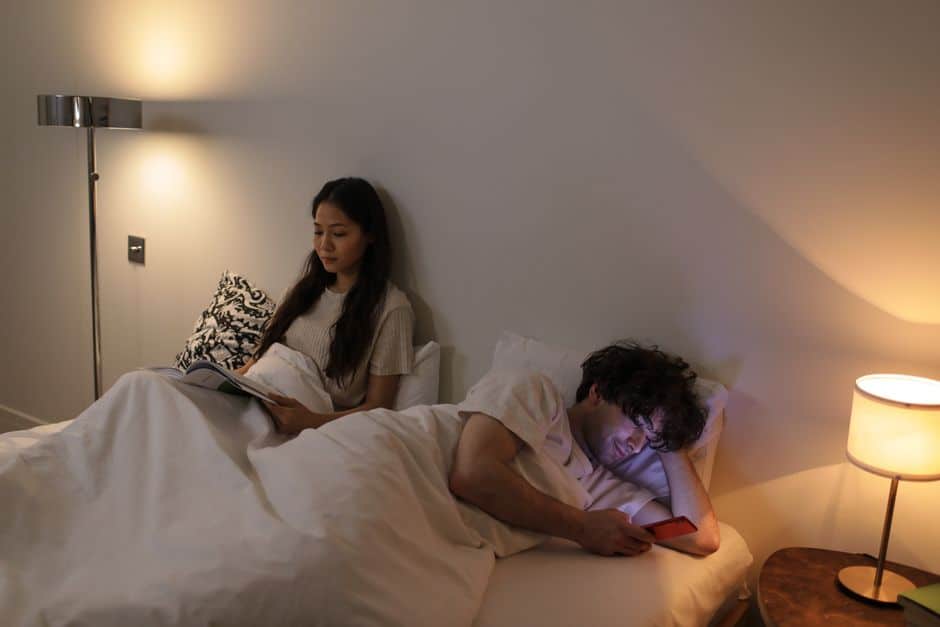
What is a “90-minute digital sunset,” and why is it trending?
A 90-minute digital sunset is a simple boundary: you stop using bright, attention-grabbing screens (phone, laptop, TV, gaming) about 90 minutes before your intended bedtime. Instead of scrolling or streaming, you shift into lower-stimulation activities that cue your brain and body to wind down.
It’s trending because it’s specific (unlike “use your phone less”), measurable (a timer), and realistic for busy people (90 minutes is challenging but doable). It also aligns with what sleep researchers and clinicians repeatedly observe: many sleep issues are not about “lack of willpower,” but about inputs (light, stress, stimulation, irregular timing) that disrupt the body’s sleep signals.
Is this just about blue light, or is there more going on?
Blue light matters, but it’s only one piece of the puzzle. A digital sunset works because it reduces several sleep-disrupting factors at once:
- Light exposure: Bright screens can push your brain toward “daytime mode.”
- Cognitive arousal: Work email, news, social feeds, and fast-cut videos keep your mind problem-solving and reacting.
- Emotional activation: Doomscrolling and heated content can elevate stress, making it harder to fall asleep.
- Time distortion: Many apps are designed to keep you engaged, which can lead to accidental bedtime delay.
Real-world example: someone who intends to sleep at 11:00 pm opens a short video app at 10:10 pm “for a few minutes,” then looks up and it’s 12:05 am. The next day’s fatigue increases reliance on caffeine, which can further delay sleep—creating a loop.
Why 90 minutes specifically—could 30 or 60 minutes work?
Yes, shorter can still help. The 90-minute window is popular for two practical reasons:
- It’s long enough to allow your nervous system to downshift from “alert mode” to “rest mode,” especially after intense content or work.
- It’s short enough that most people can protect it without reorganizing their entire day.
If 90 minutes feels impossible, start with 30 minutes for one week, then move to 45–60. Consistency matters more than perfection.
How do I set up a digital sunset when my phone is also my alarm, calendar, and family contact?
You don’t need to banish your phone from your life—just redesign how you use it at night. Use a “phone stays available, but not tempting” approach:
- Move charging out of arm’s reach: across the room is often enough to break automatic checking.
- Use Focus/Do Not Disturb: allow only favorites (partner, kids, emergency contacts).
- Switch the display: grayscale + lowest brightness + night mode reduces visual pull.
- Replace the alarm function: consider a basic alarm clock so you don’t “need” the phone bedside.
Actionable tip: Create a “Night Home Screen” with only 4 icons (alarm, messages for favorites, notes, audiobook). Put everything else in a folder on the last page.
What do I do instead of screens for 90 minutes without getting bored?
The best replacements are activities that are low light, low conflict, low stakes. Your goal isn’t to be maximally productive—it’s to become sleep-ready.
Screen-free options that work in real life
- Prepare tomorrow in 10 minutes: set clothes out, pack a bag, prep coffee/tea tools.
- Analog reading: fiction often works better than business or self-improvement at night.
- “Brain dump” journaling: write everything on your mind, then circle the top 3 for tomorrow.
- Light stretching or mobility: 5–15 minutes is enough to reduce physical restlessness.
- Low-effort tidying: one small area (kitchen counter, desk) for a sense of closure.
- Quiet hobbies: knitting, sketching, puzzles, model building, simple instrument practice.
Real-world example: A project manager who used to “relax” with late-night emails swapped to a 20-minute paperback novel + 5-minute plan for tomorrow. Within two weeks, bedtime became more predictable because there was a repeatable off-ramp from work.
How do I handle evenings when I must use screens (studying, shift work, long-distance family)?
Sometimes screens are unavoidable. In those cases, aim for damage control rather than an all-or-nothing rule:
- Make it purposeful: set a single goal (finish one lecture, reply to three messages), then stop.
- Lower brightness and warmth: reduce intensity and shift to warmer tones.
- Use a timer: even a 15-minute “closing routine” after screens can help.
- Avoid high-drama content: no heated debates, intense news cycles, or horror right before bed.
If you work nights, consider anchoring a “digital sunset” to your daytime sleep window instead. The principle is the same: reduce bright light and stimulation before sleep, regardless of the clock time.
What’s a realistic digital sunset routine I can copy tonight?
Here’s a simple template you can implement immediately. Adjust the times to match your bedtime.
Example: Bedtime at 11:00 pm
- 9:30 pm: Screens off (or switch to essentials-only mode). Dim overhead lights.
- 9:35 pm: 10-minute reset (tidy one area + set up morning items).
- 9:45 pm: Shower/wash up; change into sleepwear.
- 10:05 pm: Brain dump journal (5 minutes) + pick top 3 tasks for tomorrow (2 minutes).
- 10:15 pm: Read or do a quiet hobby. Keep lighting warm and indirect.
- 10:50 pm: Short stretch + lights down even further.
- 11:00 pm: Bed.
Actionable tip: If you live with others, label this routine as “closing time” rather than “no phone rule.” Framing reduces friction.
How do I measure whether a digital sunset is working?
You don’t need a wearable, but tracking helps you see cause and effect. Look for improvements in:
- Sleep onset latency: how long it takes you to fall asleep.
- Bedtime consistency: fewer nights where bedtime slips by 30–120 minutes.
- Night awakenings: less frequent or shorter wake-ups.
- Next-day energy: less reliance on late caffeine; fewer afternoon crashes.
A practical method: for 10 nights, write down (1) screens off time, (2) lights out time, (3) how rested you feel 1–10 the next morning. Patterns show up quickly.
What common mistakes make a digital sunset fail?
- Starting too aggressively: going from “screens until bed” to “2 hours screen-free nightly” can backfire. Ramp up gradually.
- Replacing one stimulation with another: switching from social media to intense work reading can keep your mind revved.
- Keeping bright lighting on: if the room is brightly lit, your body still reads “daytime.”
- No plan for cravings: if you don’t define what you’ll do instead, you’ll default back to the phone.
Fix: Decide your default screen-free activity (e.g., paperback book on the nightstand). Make it easier than unlocking your phone.
How does stress and news consumption at night affect sleep—and what can I do about it?
Stressful content can increase alertness and worry right when you’re trying to feel safe enough to sleep. If you tend to read the news at night, move it earlier in the day and keep it time-boxed.
For general background on why sleep matters and how modern life shapes sleep habits, a helpful resource is BBC coverage on sleep and health, which frequently summarizes research and expert guidance for the public.
Actionable tip: Create a “news window” (e.g., 12:30–12:45 pm). If you want to stay informed, do it when being alert is useful—not when you’re trying to power down.
Can a digital sunset help productivity and mood, not just sleep?
Often, yes—because sleep influences attention, memory, emotional regulation, and decision-making. Many people notice that a consistent wind-down routine leads to:
- More reliable mornings: less snoozing and fewer chaotic starts.
- Improved focus: fewer “foggy” hours early in the day.
- Better boundaries: reduced late-night work creep that can fuel burnout.
Real-world example: A freelance designer set a 9:45 pm digital sunset to prevent “one last revision” from turning into a midnight sprint. Within a month, they reported fewer rushed mistakes and quicker turnaround during daytime hours.
Conclusion: What’s the simplest way to start tonight?
A 90-minute digital sunset is a practical, repeatable way to improve sleep by reducing light, stimulation, and time-loss behaviors before bed. To start tonight, do three things: (1) pick a bedtime, (2) set a “screens off” alarm 60–90 minutes before it, and (3) place one screen-free activity within reach (a book, journal, puzzle, or stretching routine). Keep it consistent for a week, then adjust based on what your sleep data—and your mornings—tell you.